
Turbo-Chart vs Tilos
“ Is Turbo-Chart like Tilos? ”
The answer to the most common question we get asked, depends on what you use Tilos for.
If you need scheduling capabilities beyond your existing tools like P6/MSP etc, then we recommended you consider Tilos. However for most users on complex projects, this may create problems (see below).
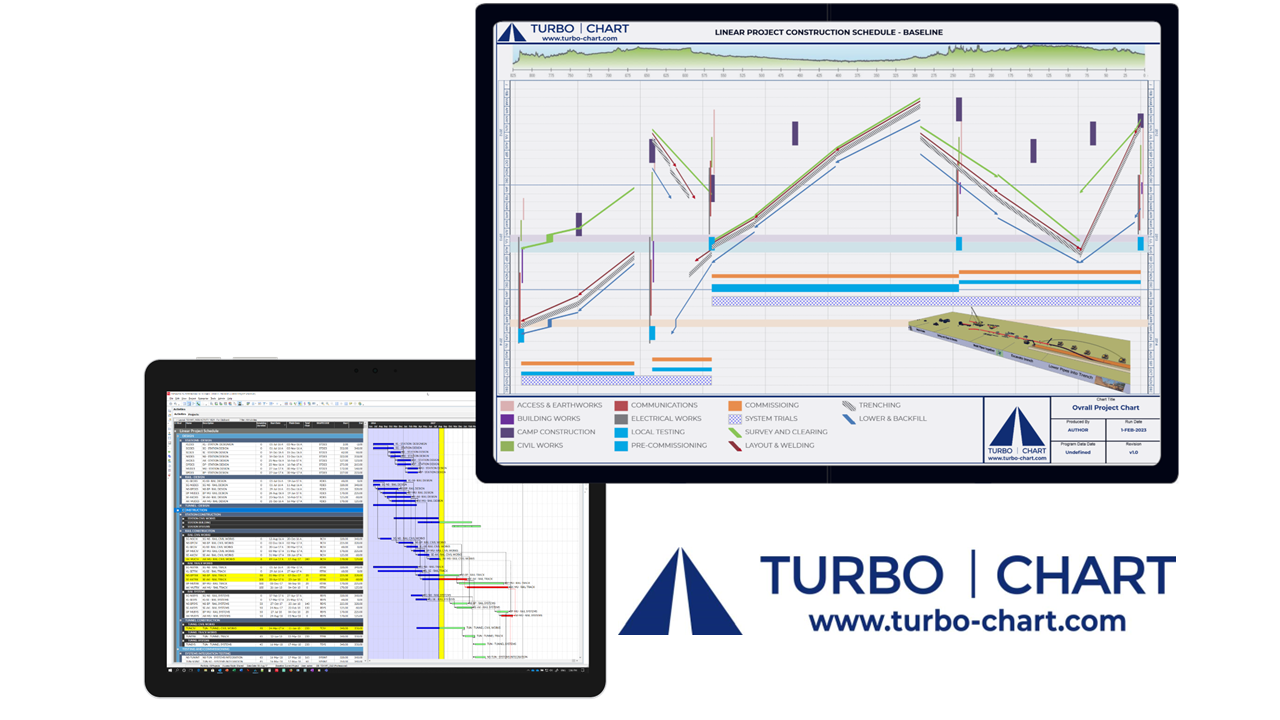
If you already use a scheduling tool and just want a quick, easy and effective way of presenting the schedule in Time Location format, that can update with each change to your schedule, then Turbo-Chart is likely to be a more suitable tool to use.
Hear from our customers about the major advantages in using Turbo-Chart
Tilos End of Maintenance Official Announcement
Trimble inc. have announced that as of March 1st, 2026, Tilos moved into "End of Maintenance". Tilos 11.1 MR4 was the final update. There will be no new features or bug fixes
Turbo-Chart vs Tilos
The table below summaries the main differences between the two
Turbo-ChartDownload now |
Tilos |
|
|---|---|---|
|
|
||
|
|
Turbo-Chart is purpose built for quick & easy visualisation, synchronisation, and reporting of scheduling data as Time Location charts/Linear Schedules direct from your preferred scheduling tools. |
Designed to be a complete scheduling solution for pure linear construction projects, combining complex time and distance algorithms for scheduling calculations. |
|
Overview
|
||
|
Produce Executive reports of schedule data
|
|
|
|
Used by Schedulers as companion tool
|
|
|
|
Links directly to Scheduling Tools (P6, MSP, OPC)
|
|
|
|
Actively Developed with updates and features
|
|
|
|
Features
|
||
|
Schedule presented on time and location axes
|
|
|
|
Copy and Paste from any tabular data
|
|
|
|
Re-synch of charts with each schedule update
|
|
|
|
Prepare multiple charts from schedule data
|
|
|
|
Compare multiple schedule datasets on one chart
|
|
|
|
Easy filtering of activities and date/time ranges on charts
|
|
|
|
Training
|
||
|
Free Trial available to download
|
|
|
|
Requires learning of an additional scheduling tool
|
|
|
|
Multiple days of formal training required
|
|
|
|
Easy to use on an irregular basis
|
|
|
|
Self taught in days or even hours
|
|
|
|
Enhances skills on existing scheduling tools
|
|
|
|
Licencing
|
||
|
Annual subscription basis
|
|
|
|
Named User licencing
|
|
|
|
Restricted Concurrent licencing
|
|
|
|
Unrestricted Session/Usage based licencing
|
|
|
|
Published pricing
|
|
|
|
Data
|
||
|
Requires complete schedule data transfer (WBS, Calendars, Resources etc)
|
|
|
|
Shareable libraries for standardised charting
|
|
|
For most complex infrastructure projects, using Tilos to present their schedules as Time Location charts may present any of the following issues:
Issues with Tilos
Topics:
- Only Linear elements of project
- Changes in isolation
- Unable to reflect changes to non-linear
- Integration with source schedule
- Multiple Users/Schedules
Only Linear elements
Infrastructure projects are rarely a pure linear construction scheduling undertaking.
Schedules for these projects need to consider many non-linear elements that can drive the construction scheduling, such as:
- design/engineering,
- procurement,
- land access,
- approvals,
- handovers and staging from other contracts,
- testing and commissioning.
As these elements are not typically shown on Tilos Time Location charts, scheduling construction work without considering the above points may create a disconnect between schedules, potentially creating errors on the Time Location chart.
The approach taken by Turbo-Chart is to ensure that integrated Master schedules are used to create Time Location charts, ensuring that ALL project elements are correctly scheduled, leaving less chance of errors.
Changes in Isolation
The ability to re-schedule activities in Time Location format, may lead to changes being made in isolation from other project elements, particularly the non-linear elements not shown on the Time location chart.
This will then require added time to reconcile changes in both the project master/integrated schedule and the schedule used for the Time Location chart in Tilos
Turbo-Chart avoids this issue by using the one single schedule as the source for generating the Time Location chart
Unable to reflect changes to non-linear elements
Similar to the previous issue, Changes to the non-linear element of the project, for example delayed land access, or procurement delays are not shown and therefore not linked in the Tilos Linear schedule activities
Turbo-Chart does not face this issue as the changes made to the schedule, and the subsequent revised dates for activities will always be the source for the data shown on the Time Location chart
Integration with source schedule
Changes made in Tilos, for the linear construction activities may not integrate with the current status of the non-linear elements of the project in the integrated/master schedule. Resolving these issues is both time consuming and could lead to disconnects in the planning of the project
Turbo-Chart avoids this issue as there is no need to extract the schedule and manipulate it in isolation. In fact Turbo-Chart encourages changes to be made in the master/integrated schedule for review in Turbo-Chart.
Multiple Users/Schedules
Complex infrastructure projects that benefit from time location charts often consist of multiple schedules and/or multiple schedulers working on a common master integrated schedule.
If Tilos is used to replan work in isolation, changes made by other users may not be reflected and face the re-integration issues listed above.
Turbo-Chart can be used on projects involving multiple schedules and users as their shared schedules are the source for Time location charts created by Turbo-Chart.