Turbo-Chart or Tilos?
Which approach is right for your Time-Location planning?
“ Is Turbo-Chart like Tilos? ”
is one of the most common questions we’re asked.
Both products can be used to create Time-Location views for linear infrastructure projects, but they are designed around different approaches.
TILOS is a specialist linear scheduling environment, combining scheduling calculations with Time-Location planning.
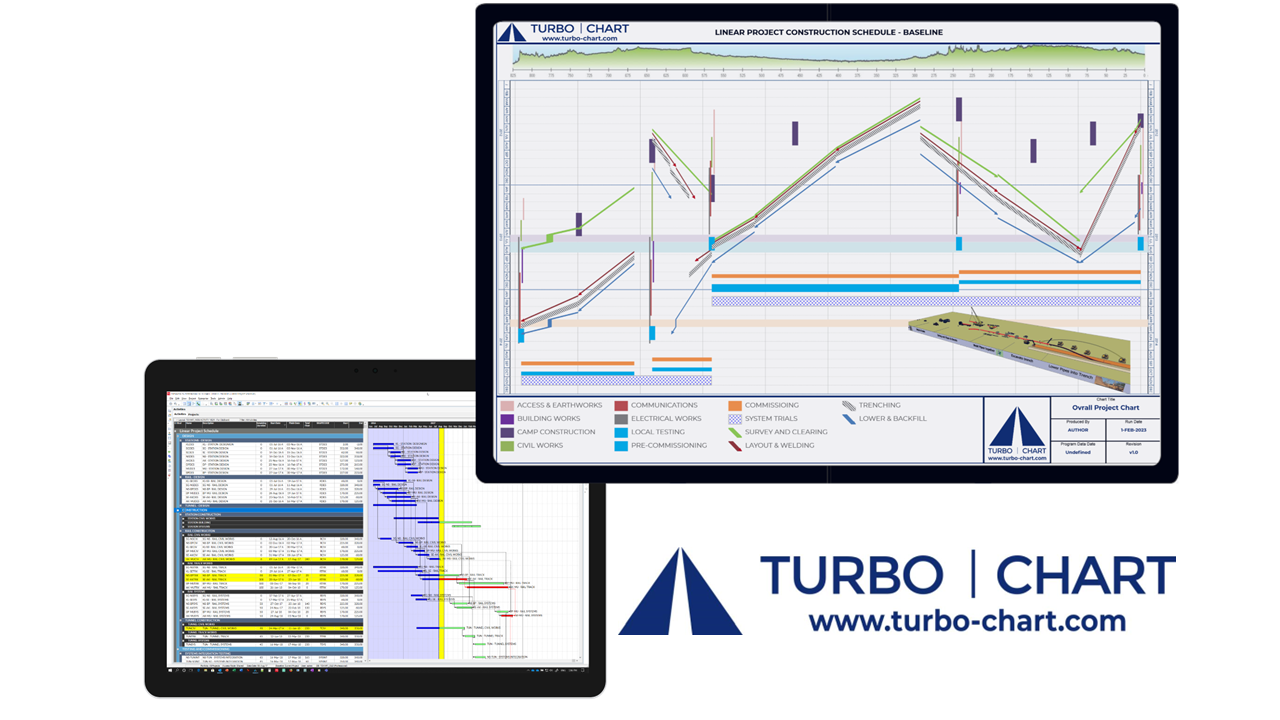
Turbo-Chart is designed to complement the scheduling tools your organisation already uses. If your master schedule is managed in Primavera P6, Asta Powerproject, Microsoft Project or Oracle Primavera Cloud, Turbo-Chart provides the dedicated Time-Location visualisation layer while keeping that existing schedule as the source of truth.
For teams that primarily need to visualise, analyse and communicate an existing programme in Time-Location format, this can remove the need to introduce and maintain a second scheduling environment.
Hear from our customers about the major advantages in using Turbo-Chart
Tilos End of Maintenance Official Announcement
Trimble has announced that TILOS 11 moved into End of Maintenance on 1 March 2026, with TILOS 11.1 MR4 being the final Trimble update.
For organisations reviewing their future approach to Time-Location planning, this may provide a useful opportunity to reassess how Time-Location views are created and maintained alongside the wider project controls environment.
Turbo-Chart vs Tilos
Two different approaches to Time-Location planning
Turbo-ChartDownload now |
Tilos |
|
|---|---|---|
|
Overview
|
||
|
Primary Purpose
|
Dedicated Time-Location visualisation, analysis and reporting from existing project schedules |
Specialist linear scheduling and Time-Location planning environment |
|
Scheduling philosophy
|
Scheduling remains within the organisation’s existing CPM scheduling tool |
Scheduling and Time-Location planning can be undertaken within TILOS |
|
Source of Truth
|
Existing master schedule remains the source of truth |
Can operate as a separate linear scheduling environment alongside the master schedule |
|
Schedule connectivity
|
Connects to Primavera P6, Asta Powerproject, Microsoft Project, Oracle Primavera Cloud and structured schedule data |
Supports schedule integration and its own scheduling capabilities |
|
Updating Time-Location charts
|
Existing chart can be re-synchronised as the source schedule changes |
Update process depends on how TILOS is being used and integrated with the wider schedule |
|
Multiple schedule datasets
|
Multiple datasets can be presented and compared within Time-Location views |
Available within the broader TILOS scheduling workflow |
|
Adoption approach
|
Focused workflow designed for rapid adoption by existing planners and schedulers |
Broader scheduling capability requiring deeper product knowledge |
|
Best suited to
|
Named-user and usage/session-based licensing options with published pricing |
Licensing determined by the TILOS provider |
Why the workflow matters
Complex infrastructure projects rarely consist only of linear construction activities.
The master schedule may also include:
- design and engineering;
- procurement;
- land and access;
- approvals and consents;
- interfaces with other contracts;
- testing and commissioning;
- possession or access constraints;
- handovers and milestones.
How do you ensure the Time-Location view remains aligned with the wider integrated programme as that programme changes?
Maintaining one source of truth
Where the integrated master schedule is managed in Primavera P6, Asta Powerproject, Microsoft Project or another CPM scheduling environment, maintaining a separate linear schedule can introduce additional coordination.
Changes may need to be reflected or reconciled between the master schedule and the Time-Location scheduling environment.
Turbo-Chart takes a different approach:
Scheduling changes remain in the master programme. Turbo-Chart then re-synchronises the Time-Location view from that schedule.
This helps reduce duplicated schedule maintenance and ensures the Time-Location view continues to reflect the programme already being used to manage the project.
Keeping Time-Location views aligned with schedule change
Schedules on major infrastructure programmes change continuously.
Design development, delayed access, procurement, approvals, interfaces and construction progress can all affect activity dates and sequencing.
If the Time-Location view is maintained separately from the master schedule, planners may need to spend additional time updating and reconciling information between environments.
With Turbo-Chart, the revised dates remain within the existing project schedule.
The Time-Location view can then be re-synchronised as the programme evolves, reducing the effort required to keep visual reporting current.
Reducing duplicated planning effort
For many organisations, Primavera P6, Asta or another CPM platform is already established as the project’s planning system.
Introducing another scheduling environment purely to create Time-Location outputs may mean:
- maintaining information across more than one system;
- reconciling schedule changes;
- developing additional specialist product knowledge;
- creating dependency on a smaller group of specialist users.
Turbo-Chart is designed for teams that want to retain their existing scheduling process while adding a dedicated Time-Location capability.
This allows planners to focus on the shcedule they already manage rather than maintaining the same scheduling logic in multiple environments.
Working across multiple planners and schedules
Large infrastructure programmes commonly involve multiple planners, contractors and schedule datasets contributing to an integrated programme.
In these environments, maintaining consistency becomes increasingly important.
Turbo-Chart uses the underlying project schedules as the source for its Time-Location views, allowing planners to create and maintain charts without creating an additional version of the schedule.
Multiple datasets can also be brought together within Turbo-Chart to support comparison and programme-level visualisation.
What does this mean for planning teams?
Less duplicated effort
Scheduling changes remain within the existing master schedule rather than being maintained independently across multiple scheduling environments.
Greater programme integrity
The Time-Location view is derived from the schedule already being used to manage and report the project.
Easier standardisation
Planning teams can establish consistent Time-Location outputs across projects while continuing to use their existing scheduling standards and processes.
Faster adoption
A focused Time-Location workflow reduces the need for planners to learn an additional scheduling system simply to create visual programme outputs.
Greater confidence in programme communication
Project teams and leadership can use Time-Location views that remain connected to the latest version of the underlying programme.
When might TILOS be the better fit?
TILOS may be more appropriate where an organisation wants to carry out specialist linear scheduling and rescheduling directly within the Time-Location environment.
Its broader scheduling capability is designed for teams that want Time-Location planning to form part of the scheduling process itself.
When might Turbo-Chart be the better fit?
Turbo-Chart is designed for organisations where the master schedule already lives in a scheduling system such as Primavera P6, Asta Powerproject, Microsoft Project or Oracle Primavera Cloud.
If the requirement is to visualise, analyse and communicate that programme in Time-Location format — without introducing another scheduling environment — Turbo-Chart provides a focused alternative.
Your existing schedule remains the source of truth.
Turbo-Chart provides the Time-Location view.
And when the schedule changes, the chart can be re-synchronised from that source.
See Turbo-Chart in action now
If you are reviewing how your organisation creates and maintains Time-Location Charts, we would be happy to show you the Turbo-Chart workflow using a real project schedule
Book a Demonstration

Or Stat a Free Trial right now
.